




Having all these cool apps and services available to you is great, but how do we easily get to them? I'll show you the best way to navigate around the Google-verse.
Round-round get around I get around...
From the moment you open up a Google search page you are presented with navigation options to help you get around in Google. Signing in to your Google account is the first thing you need to do and if you haven't already, do it!

Once you are signed in then you have quick access to most of your services
Clicking Mail will take you through to your business Gmail account, or there is another symbol of 9 dots called the Apps draw which is found in most of the apps and services by Google and is an easy way to get around.

Most of the services you will use are presented here, and if they aren't select the Even more from Google link found at the bottom of that menu.
If you like typing then you can just type the address of the service you want to go to, I put the most common ones below:
go to email (Gmail) = mail.google.com
go to your online file storage (Drive) = drive.google.com
to write a document (Docs) = docs.google.com
for spreadsheets (Sheets) = sheets.google.com
to create a form (Forms) = forms.google.com
to make a presentation (Slides) = slides.google.com
NOTE: This requires you to be logged in to your account, if you are on a shared computer and someone else is logged into Google then you will go to items in THEIR account... log them out and log yourself in to view items in YOUR account.
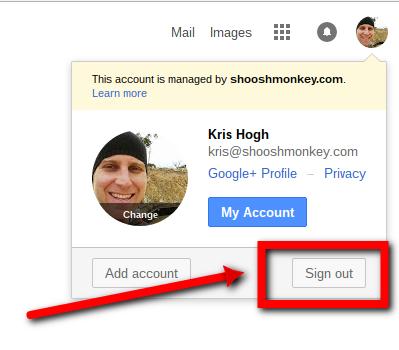
Do this by clicking the avatar in the top right-hand corner and select Sign Out
Remember, if you get stuck, just go back to the Google search homepage and start again --> www.google.com